Mail Server names:
mail.ntplx.net
This is true for both incoming (POP3 or IMAP) and
outgoing (SMTP).
Your Connectivity
If your connectivity to the internet is provided
by someone other than NETPLEX Internet, you may have to use their
outgoing mail servers.
Username
Customer's usernames will be the first part of your
email address (username@netplex.net).
Do not use your whole email address for
your username.
Setup
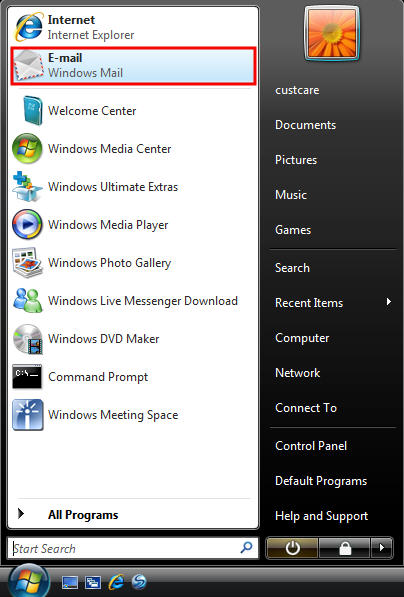
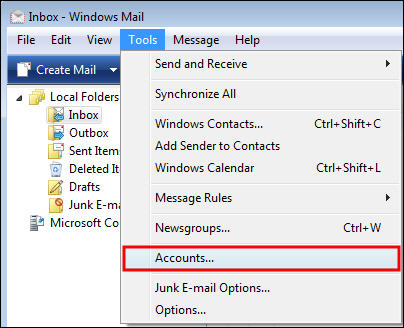
Once you have Windows Mail (Vista) open, click on tools on
the menu at the top.
- Click on Accounts.

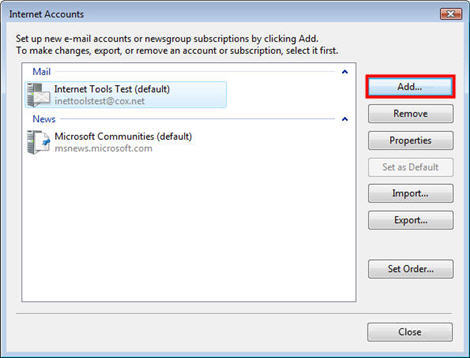
- Click Add

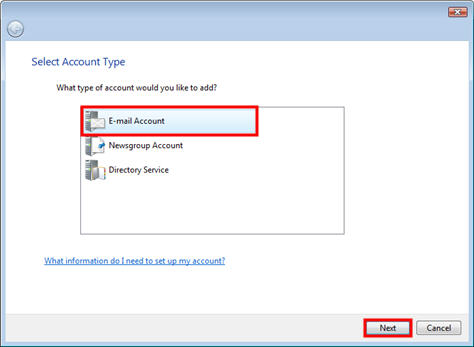
- Select Email Account and click Next.

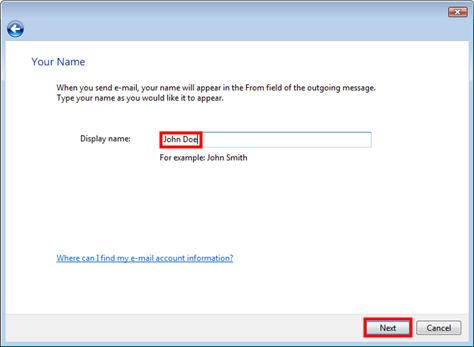
- Fill out the Display Name field
with the name you would like to appear when sending email.

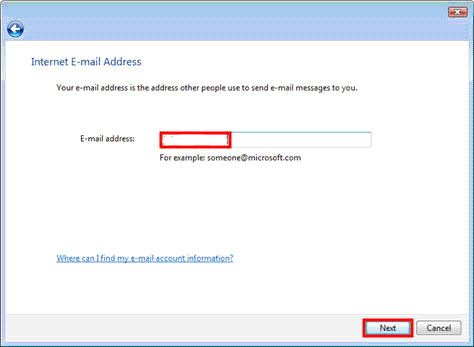
- Enter in your email address. Click on Next.

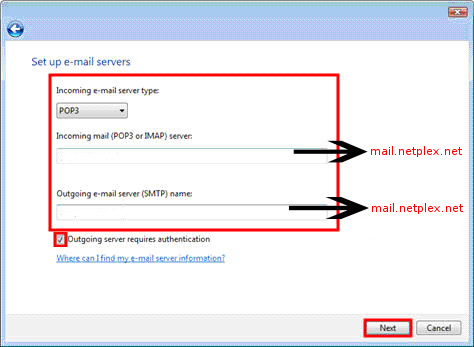
- Using the pull down menu, select Incoming e-mail
server type: POP3.
If you want to check your email via our webmail and on your comupter
then select IMAP.
For Incoming mail (POP3 or IMAP) server and Outgoing
e-mail server (SMTP) name, type in the mail server names. (mail.ntplx.net)
Do not select the Outgoing server
requires authentication check box.
Click on Next.

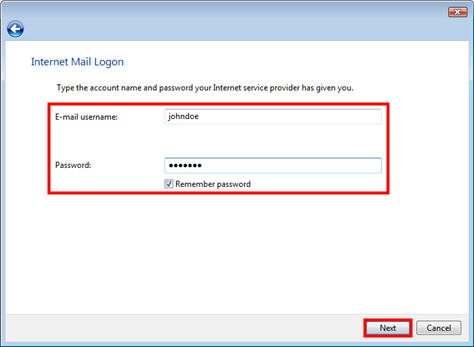
- For the E-mail username fill
in your full email address.
Fill in your password. If you do not want to type in your password
every time you check your email, place a check in the box next
to Remember password.
Click Next.

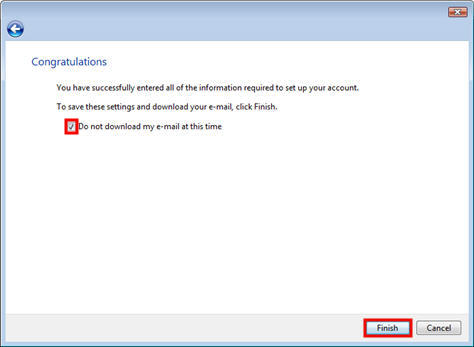
- Click Finish to begin downloading
your email.

- If you are returned to this window, click Close.

top
|